
[MacOSX] Troubleshooting Mac's Bluetooth Connectivity Error (Wifi Not Getting Configured Error)
Are you facing the below issue while configuring your Elhi? If you have done your basic checks (as mentioned in the FAQs), you can try troubleshooting as per the below steps.
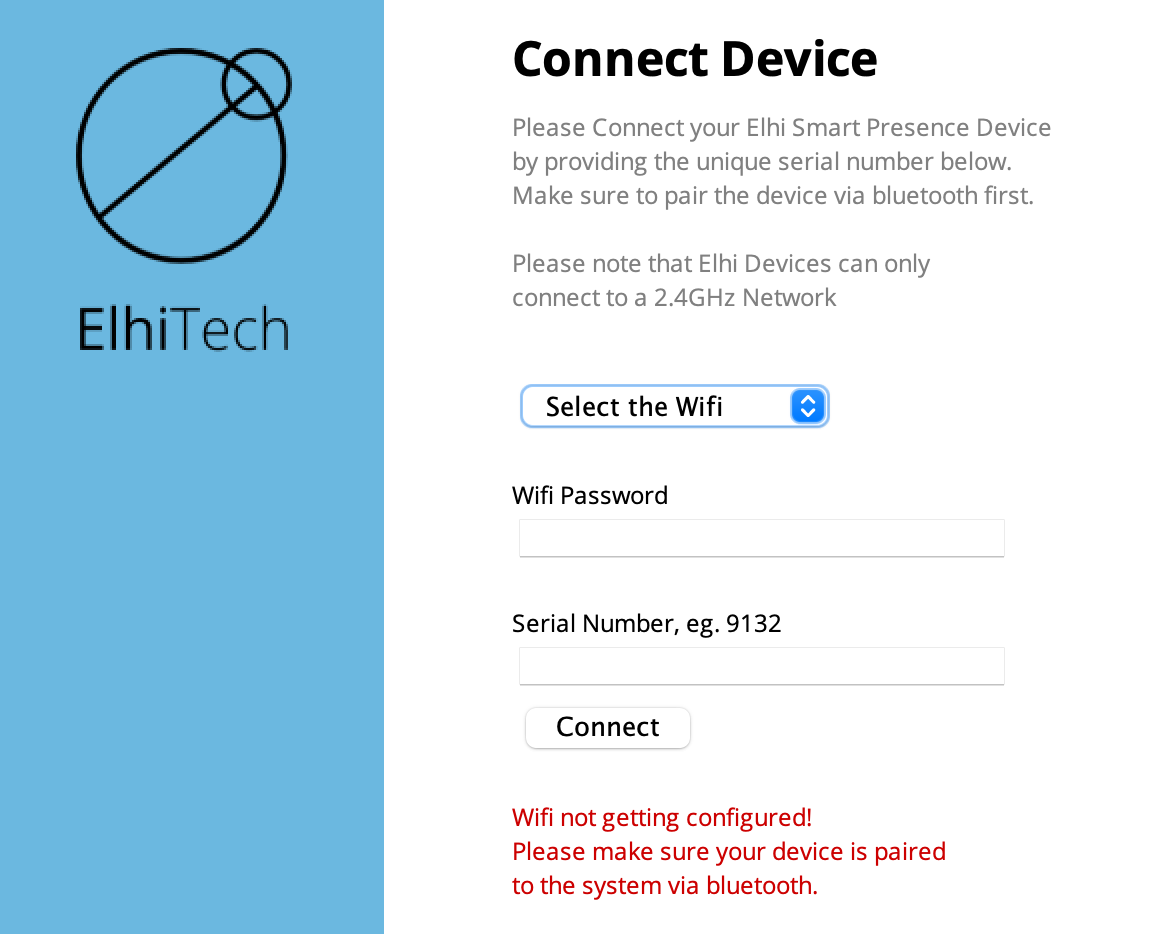
Sometimes even when Elhi is paired to your Mac's Bluetooth, it's not able to connect. Please follow the below steps to reset the Bluetooth module of your computer.
Keep in mind this will disconnect all of your Bluetooth accessories including your mouse/keyboard. Make sure you have a wired keyboard/mouse for Mac desktops.
For MacOS Big Sur or earlier
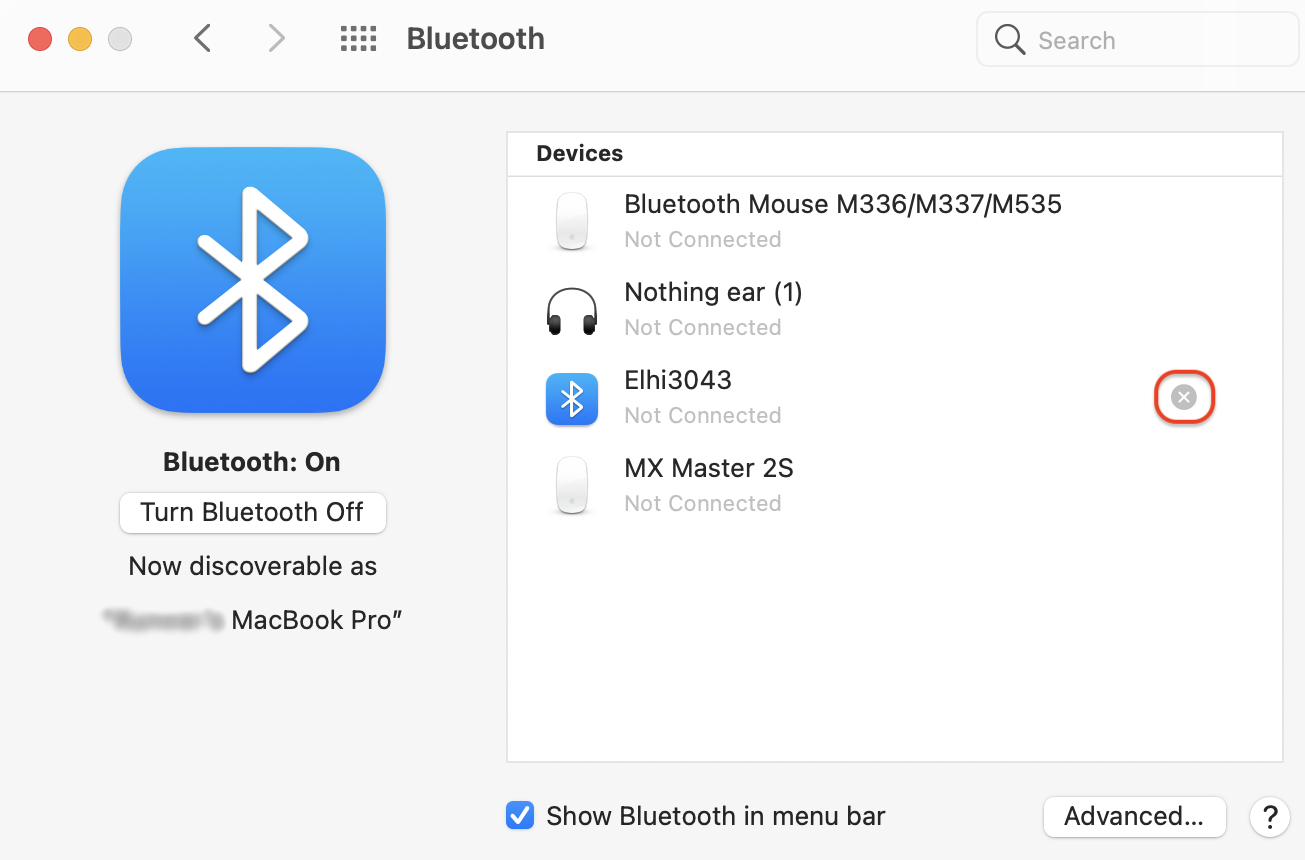
- Remove Elhi from your paired bluetooth devices.
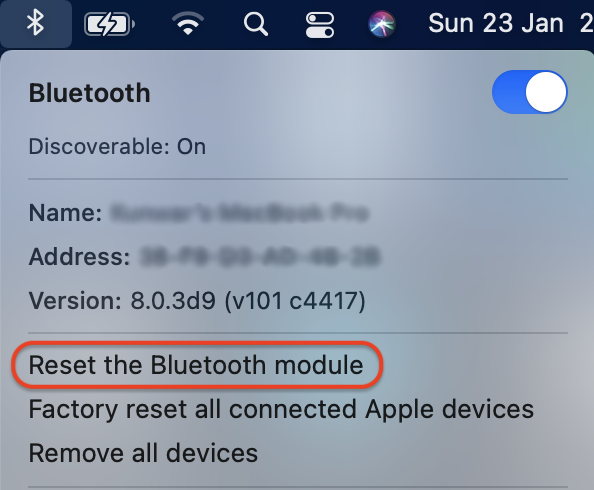
- While holding option + shift on your keyboard, click the Bluetooth icon in the menu bar
- Click “Reset the Bluetooth module”
- On the confirmation prompt, choose “OK”
- Your Bluetooth devices will disconnect for a moment as the module resets and should automatically reconnect
- Once done please restart Elhi and pair again. Restart the Application window and try again.
For MacOS Monterey
The option + shift + click on the Bluetooth icon in the menu bar (detailed above) doesn’t show a Bluetooth reset option in Monterey so you’ll need to run a Terminal command.
- Open Terminal
- Type in the command
sudo pkill bluetoothd - Press return, then enter your password in asked
- Reset your Mac